Cloned Miro templates save time. Instead of rebuilding a workshop, planning board, retrospective, or client workflow from scratch, you can start from a structure that already works. But every cloned board creates a cleanup step.
Old client names, dates, placeholders, project titles, sprint names, campaign labels, and internal notes can stay inside the board. If you miss them, the board may look unfinished or unprofessional when you share it with a client, team, or stakeholder.
This article explains how to clean up a cloned Miro template before sharing it and how to make the process faster with a find, preview, and replace workflow.
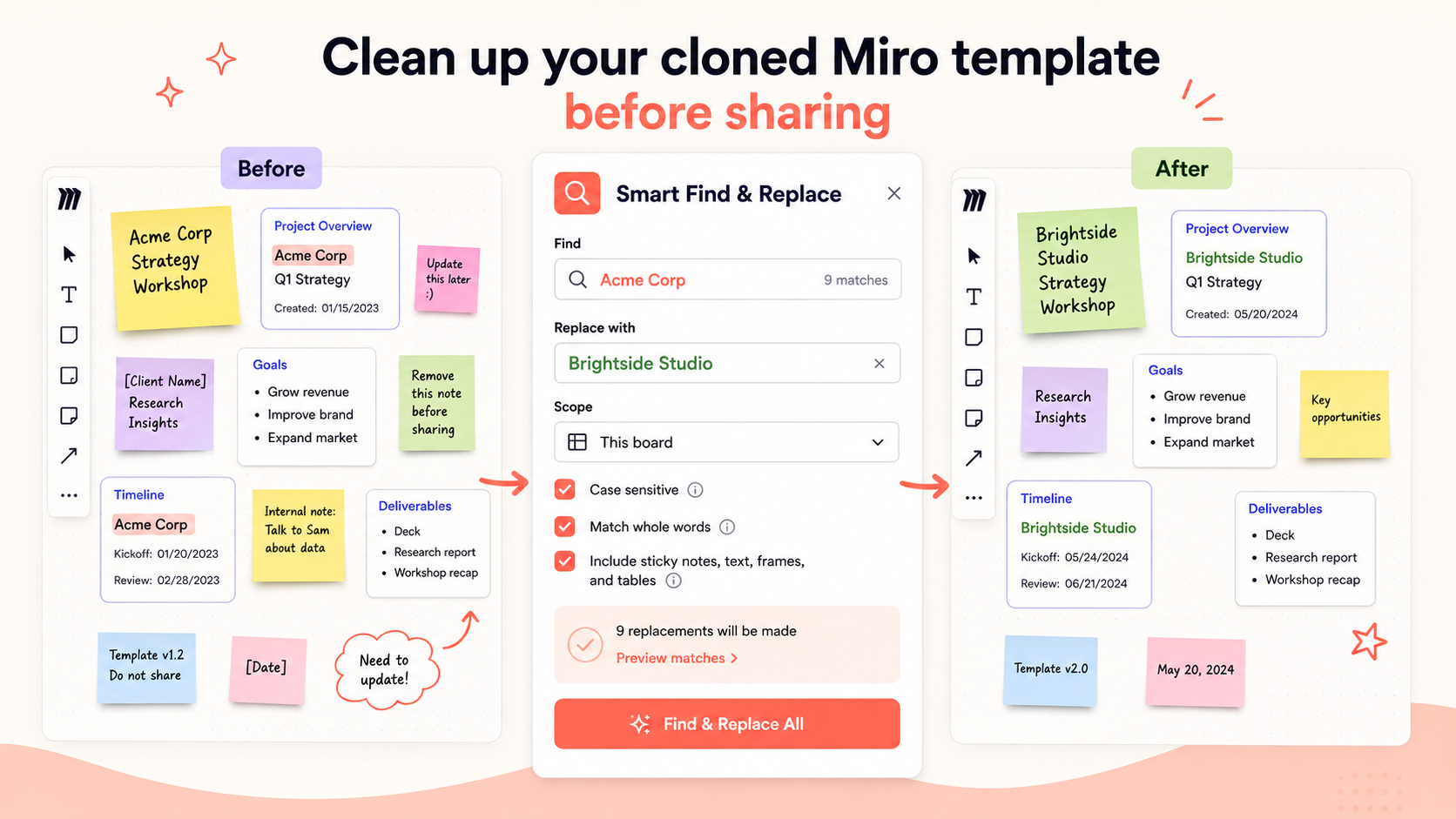
What usually needs to be updated
When a Miro template is reused, the same old details can appear across many different board items. Before sharing a cloned board, check for:
- Client names and company names
- Project names and campaign names
- Workshop dates and sprint dates
- Placeholders like [Client Name], [Date], or [Project Name]
- Old brand terms or outdated terminology
- Repeated instructions from the previous board
- Internal notes that should not be shared externally
These details may look small, but they can affect how polished and trustworthy the board feels.
Why manual cleanup is risky
Manual cleanup usually means clicking through the board and editing items one by one. This is slow, repetitive, and easy to mess up. Large boards can contain dozens or hundreds of sticky notes, cards, text boxes, and frame titles.
The risk is simple: one missed old client name can make the whole board feel less professional. For consultants, agencies, and workshop facilitators, that matters because the board is often part of the client experience.
Basic cleanup checklist before sharing
- Search for the previous client or company name.
- Search for project and campaign names.
- Check all dates and session titles.
- Look for placeholders such as [Client Name] or [Insert Date].
- Check section titles, frames, and board instructions.
- Remove internal notes that are not meant for the new audience.
- Review the board as if you were the client opening it for the first time.
This checklist is helpful, but it still takes time if you are doing everything manually.
Faster workflow with Smart Find & Replace
Smart Find & Replace helps users clean up cloned boards by turning manual editing into a structured workflow:
- Search the old text.
- Preview where it appears.
- Replace it across the board.
- Repeat for dates, placeholders, and project names.
- Review the final board before sharing.
This makes the cleanup process easier to repeat each time a board is cloned for a new client, sprint, campaign, or workshop.
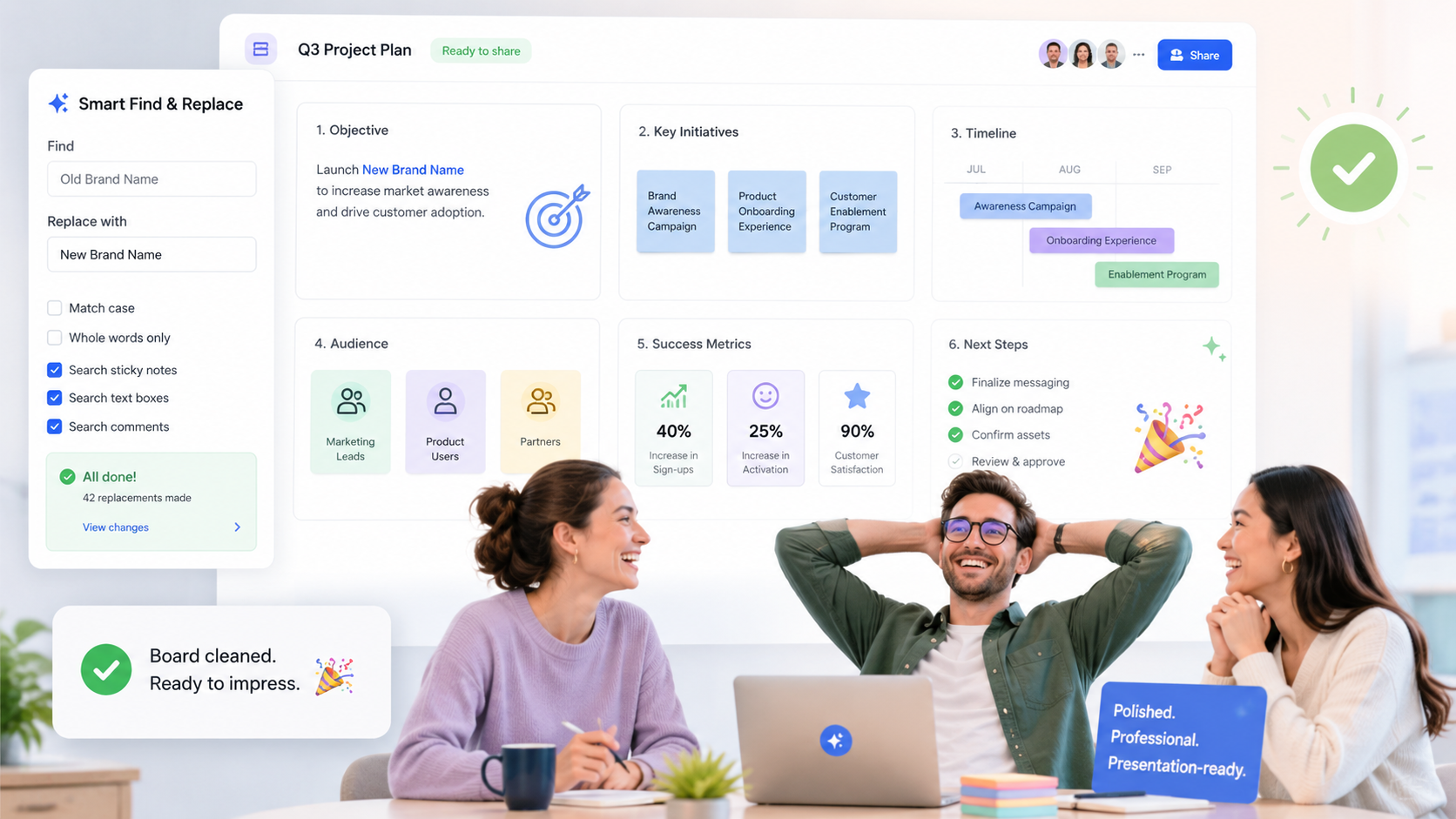
Example use case
A consultant clones a client workshop template. The old board mentions “Acme Corp” across the agenda, exercises, notes, and next-step sections. The consultant needs to replace it with “Brightside Studio,” update the workshop date, and remove placeholders before the session.
Instead of manually checking every sticky note, they search the old client name, preview all matches, and replace it across the board. The board becomes cleaner and more client-ready faster.
When Smart Pro helps
Smart Pro is useful when cloned boards are not perfectly consistent. For example, the old client name may appear as “Acme,” “Acme Corp,” “ACME,” or as a placeholder. Smart Pro can be positioned around smarter matching, variations, placeholders, and larger recurring workflows.
Try Smart Find & Replace
Smart Find & Replace helps teams clean up cloned Miro templates faster. Use it to find, preview, and replace repeated text before sharing boards with clients, teams, or stakeholders.
FAQ
What is the fastest way to clean up a Miro template?
A fast workflow is to search old text, preview matches, replace repeated terms, and review the board before sharing.
How do I replace old client names in Miro?
Use Smart Find & Replace to search for the old client name, preview matches, and replace it across the board.
Can I replace placeholders across a board?
Yes. Placeholders like [Client Name] or [Date] are strong use cases for repeated text cleanup.
Is this useful for consultants and agencies?
Yes. Consultants and agencies often reuse client boards, so cleanup is a recurring workflow.
Can Smart Pro catch variations?
Smart Pro should be positioned for variations, placeholders, inconsistent wording, and advanced cleanup workflows, depending on confirmed product capabilities.
Try Smart Find & Replace
Find, preview, and replace repeated text across Miro boards before old names, dates, placeholders, or repeated terms slow the team down.
Try Smart Find & Replace