If you are searching for a Miro find and replace alternative, you probably have a board with repeated text that needs to be updated. Maybe it is an old client name, a project term, a date, a placeholder, or a repeated mistake across sticky notes and cards.
Search can help you locate text, but the real workflow usually goes further. Users do not only want to find the old text. They want to update it safely and quickly across the board.
That is where a find, preview, and replace workflow becomes useful.

Why people look for a Miro find and replace alternative
People usually look for an alternative when manual board cleanup becomes too slow. The most common situations include:
- Updating repeated client names
- Cleaning cloned templates
- Replacing placeholders
- Changing dates across recurring boards
- Fixing repeated wording mistakes
- Updating team, project, product, or campaign names
These use cases are especially common for consultants, agencies, facilitators, product teams, and marketing teams that reuse boards often.
The manual workaround
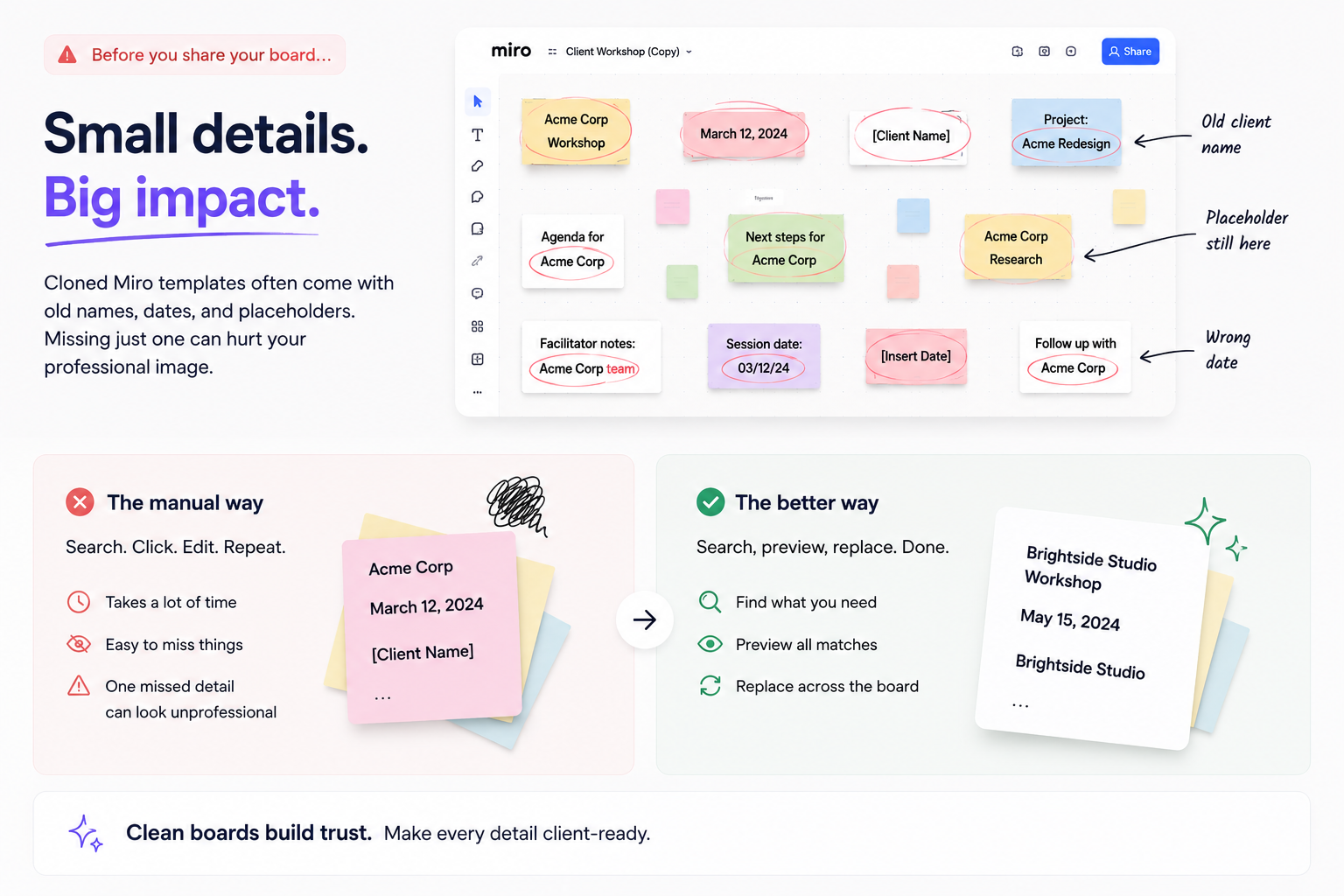
A manual workaround usually looks like this: search for a term, click each matching item, edit the text, then repeat until the board looks clean. This can be manageable for a few matches, but it becomes frustrating when there are dozens of items.
The manual process also increases the chance of missing something. A large board can hide old details in frame titles, instructions, cards, or small notes.
Why search alone is not enough
Search helps users find content. Replacement is a different job. A good find and replace alternative should help users move from discovery to action without losing control.
The ideal workflow should include:
- Search for the repeated text.
- Preview every match before applying changes.
- Replace the text across the board.
- Review the updated board.
The preview step is important because board-wide changes can feel risky. Users need to see what will change before they apply it.
How Smart Find & Replace fits
Smart Find & Replace is built for the replacement workflow, not just search. It helps Miro users find, preview, and replace repeated text across boards. That makes it useful for template cleanup, client board updates, project boards, recurring planning sessions, and large collaboration boards.
Instead of treating repeated text as a manual editing task, Smart Find & Replace turns it into a cleaner process: search, preview, replace, done.
When Smart Pro makes sense
Exact find and replace is useful when the text is consistent. Smart Pro is positioned for more complex boards where users need smarter matching, placeholder cleanup, inconsistent wording detection, or larger recurring workflows.
That means the free workflow can help users experience the core value, while Smart Pro can support heavier team use and advanced cleanup needs.
Try Smart Find & Replace
If you are looking for a Miro find and replace alternative, try Smart Find & Replace from Miro Marketplace. It is designed to help users update repeated text across Miro boards faster and with more control.
FAQ
What is a Miro find and replace alternative?
It is a tool or workflow that helps users search for repeated text and replace it across a Miro board.
Why is search alone not enough?
Search helps users locate text, but users may still need to update each item manually. Replacement completes the workflow.
What can I use Smart Find & Replace for?
Use it for client names, placeholders, dates, project names, repeated mistakes, and template cleanup.
Is this only for consultants?
No. It is useful for any team that reuses Miro boards, including product teams, marketing teams, and agencies.
Try Smart Find & Replace
Find, preview, and replace repeated text across Miro boards before old names, dates, placeholders, or repeated terms slow the team down.
Try from Miro Marketplace